

designing ai agents force
ICD worked with a fast-growing Unifyapps, an enterprise AI platform from its early stage, supporting product design, UX/UI, design systems, brand and marketing communication across multiple AI-native product surfaces. The work shown here is a representative reconstruction of design challenges, interface patterns and product thinking developed during the engagement. Proprietary details, client data and confidential workflows have been removed or abstracted.
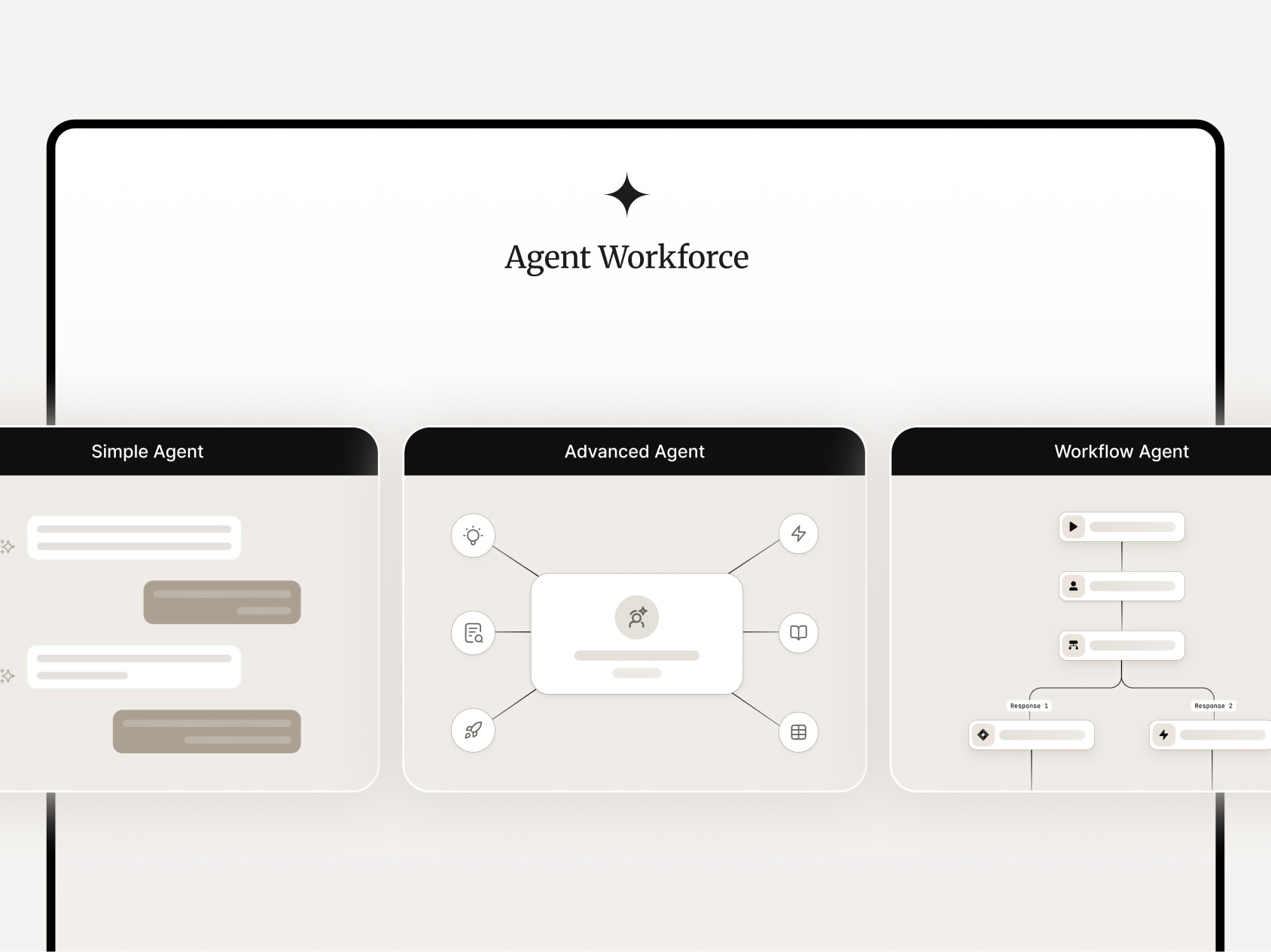
ICD team contributed in shaping Unify AI into a usable enterprise agent-building platform, working from the earliest stages to translate a technically complex system into clear, task-oriented experiences. Each agent type, from simple agents to workflow and advanced agents, was worked and reworked so that in all its avatars, behaviour, configuration flow and user interface matched the needs of the person using it. Over two years, the team worked closely with engineering to refine how users create agents, connect knowledge, add tools, define guardrails, monitor outcomes and deploy across enterprise environments. The design challenge was to make AI agents feel capable but understandable, powerful but controlled, and flexible enough for different business contexts without becoming overwhelming.This aligns with Unify AI’s focus on building, managing and deploying agentic AI solutions, including simple, workflow, RAG and advanced agents, with knowledge, tools, guardrails, monitoring and deployment controls.
designing agents for different levels of work
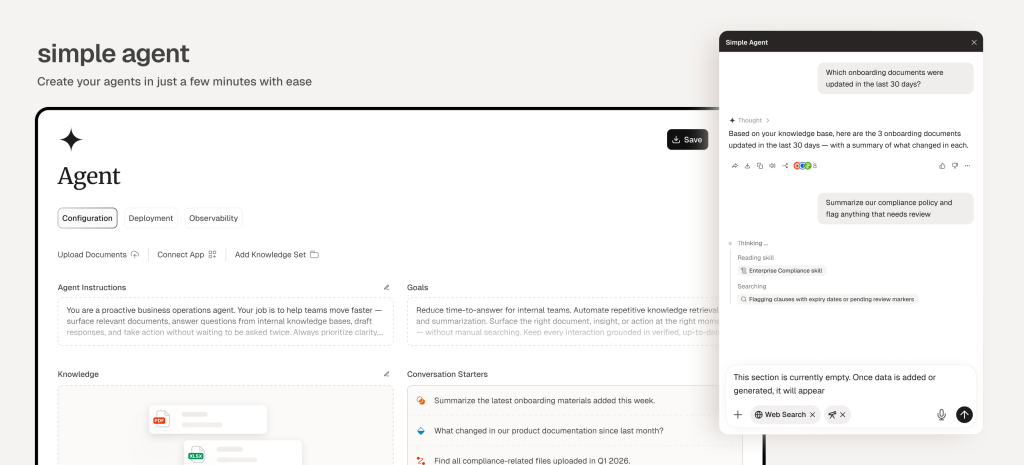
Simple and Advanced Agents were constructed by the client as distinct creation paths because enterprise AI work does not have one level of complexity. Simple Agents help teams quickly build task-focused assistants by connecting instructions, tools and knowledge sources, while Advanced Agents support more complex workflows where reasoning, decision-making, compliance and multi-step execution matter. The product design team shaped these flows so users could choose the right agent type, configure it clearly, test behaviour, add guardrails and deploy it across enterprise environments without losing control. This distinction was needed to make agent creation accessible for everyday use cases while still supporting the depth required for serious enterprise deployment.

controlling cost and reuse across agent systems
Designed with enterprise control in mind. Spending limits help teams monitor usage, set alerts and prevent runaway costs, while reusable skills allow organisations to package prompts, documents, system instructions and workflows into repeatable capabilities. Together, they make agent deployment easier to govern and easier to scale, so teams can build powerful AI systems without losing visibility, discipline or cost control.

understanding agents at the level of use
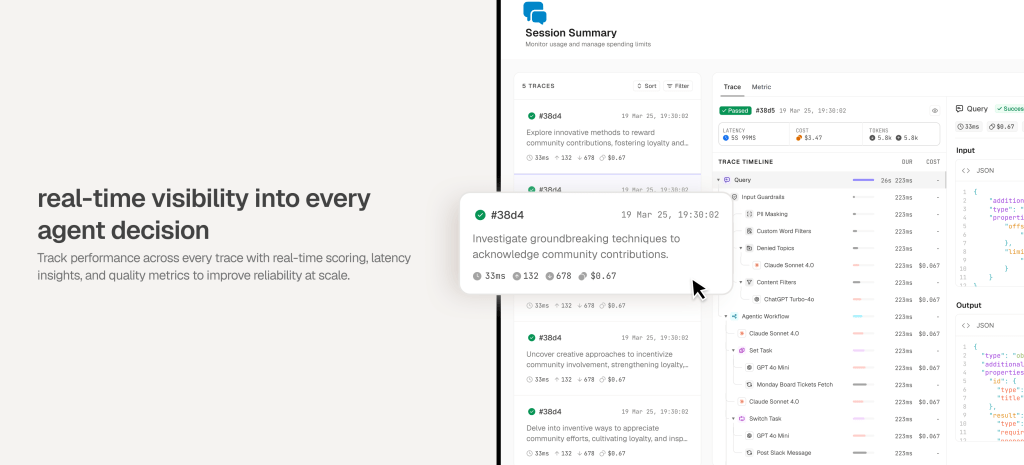
Working on Unify AI gave the product design team deep exposure to the many details that make enterprise agents usable, reliable and scalable. From spending limits and reusable skills to session traces, latency, cost, quality scores and decision logs, the team had to understand how agents are built, governed, monitored and improved after deployment. This close involvement gave us a practical understanding of agentic systems not as abstract AI features, but as working enterprise products where every control, metric and configuration choice affects trust, adoption and performance.
structuring agentic work from thought to action
The agentic workflow makes it clear how an AI agent moves from analysis to deduction and then to action. Users can set up each stage visually, define what the agent should examine, how it should interpret the information, where it should branch, and what next step it should take. This turns complex agent behaviour into a readable flow, making decisions, reasoning paths and follow-up actions easier to design, test and trust.

designing agent workflows as visible logic
This screen shows how workflow agents were designed as clear, visual systems rather than hidden prompt chains. Instructions, tools, knowledge, variables, branches and outputs sit on one canvas, allowing users to define how the agent should analyse information, make decisions and trigger the next action. The result is an agent-building experience where complex reasoning can be configured, reviewed and trusted without losing sight of the flow.

 share
sharepartner-in-charge lisa rath | product design lisa rath, ujjawal aggarwal, arpit sharma, sreeja chatterjee, hariprasad, jatin kumar, vishnuprasad, DSV, lokesh parekh, pakhi dogra, bhumika chauhan, sakshi singh, garvit kumar, rahul mallik, prajakta chaudhuri